Close Menu
  • Home
  • Managing resilience
    • AI resilience
    • Business continuity
    • Business resilience
    • Climate resilience
    • C-suite and the board
    • DORA – the EU Digital Operational Resilience Act
    • Operational resilience
    • Organizational resilience
    • Supply chain resilience
    • Technology
  • Risk
    • Enterprise risk management
    • Operational risk
    • Threatscape
  • Cyber resilience
    • Cyber resilience updates
    • DORA – the EU Digital Operational Resilience Act
    • Product updates
More items
  • All News
  • Research
  • Jobs in Resilience
  • Resilience Resources
  • About Resilience Forward
X (Twitter) LinkedIn
  • Home
  • Managing resilience
    • AI resilience
    • Business continuity
    • Business resilience
    • Climate resilience
    • C-suite and the board
    • DORA – the EU Digital Operational Resilience Act
    • Operational resilience
    • Organizational resilience
    • Supply chain resilience
    • Technology
  • Risk
    • Enterprise risk management
    • Operational risk
    • Threatscape
  • Cyber resilience
    • Cyber resilience updates
    • DORA – the EU Digital Operational Resilience Act
    • Product updates
Login
LinkedIn Bluesky
Resilience Forward
Subscribe Now
  • All News
  • Research
  • Jobs in Resilience
  • Resilience Resources
  • About Resilience Forward
Resilience Forward
You are at:Home»Managing resilience»Business continuity»Backup myths: backups prevent downtime. They don’t… (Page 5)
Business continuity

Backup myths: backups prevent downtime. They don’t…

While backups provide a level of organizational protection they don’t prevent downtime; and only reduce rather than avoid data loss. Jimmy Tam explains why continuous availability is more appropriate for business continuity.
March 26, 20254 Mins Read
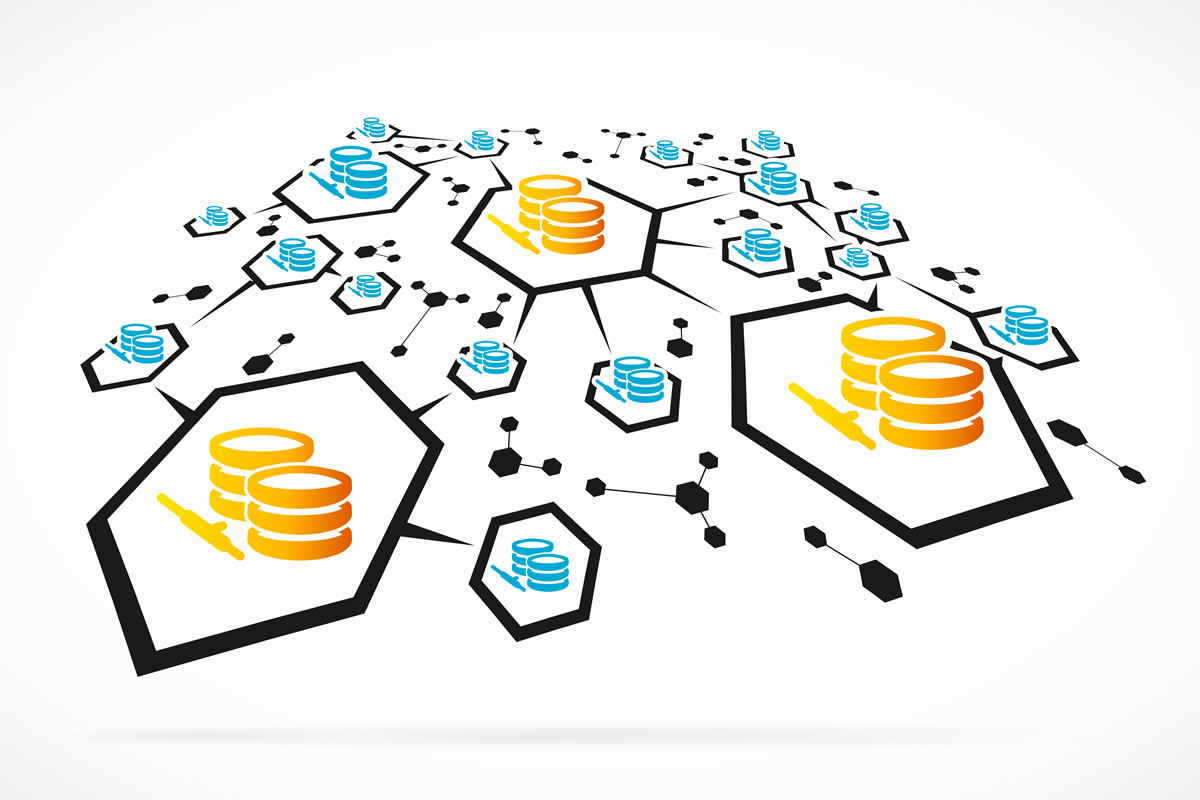
High availability concept

Downtime is never just an inconvenience. Whether it’s a cyberattack, hardware failure, or regional outage, disruptions can result in lost productivity, frustrated customers, and financial strain. You might think that your backup solution is the answer. But although backup is a great safety net, it won’t prevent downtime. Added to the issue are the facts that restoring lost data takes time and anything created since the last backup is often lost.

To minimise the effect of an outage, instead of focusing purely on recovery, many IT teams are now starting to shift towards the idea of continuous availability. Finding a way to keep systems running and providing access to data even when failures occur.

A key component is real-time file synchronisation, ensuring that up-to-date copies of critical files exist across multiple locations, so there’s always a data-set that’s not just stored, but ready to take over instantly.

Why traditional backups fall short

Backups have been the go-to strategy for data protection for decades. But in fast-moving environments, they have serious limitations.

Restoring from a backup takes time, meaning services stay down after the initial disruption. Anything created or changed since the last backup may not be retrievable, so new data can be lost. And centralised storage means that if that location goes offline, so does access to all the organization’s data.

A more resilient approach means data is continuously available, not just recoverable after the fact. Limiting the impact of an outage by keeping the business online.

What is continuous availability?

Real-time file synchronisation distributes data intelligently so there’s always a live, accessible copy. Instead of storing everything in one place and periodically saving backups, data is continuously synchronised across multiple locations.

With every file change immediately copied to at least one other location, data remains accessible even if a primary site fails. If one location becomes unavailable, systems instantly switch to another. This failover gives users a seamless experience without interruption.

With data stored in multiple physical locations, the risk of regional outages is reduced because load balancing means no single site is overwhelmed. And the system stores data close to where it’s needed most, improving performance.

How to implement a continuous availability strategy

To move beyond backups towards continuous availability for business continuity, I always recommend the following steps:

  1. Identify critical data and applications
    What data and which applications have to be online at all times? Map out what’s critical so it’s easy to prioritise when you’re designing your file system. And identify dependencies, peak usage patterns, and latency issues so that you can improve performance. Fixing issues now will limit the after-effect of any cyberattack or failure, helping your business to stay online after an outage.
  1. Distribute data across multiple locations
    Centralising your data, bringing all data to one storage platform, creates a single point of failure. An outage is much more devastating when all your data is affected. So avoid reliance on a single site. Distribute and replicate your data across multiple locations, so that if one data centre / center fails your business can still access the most up-to-date versions of files.
  1. Implement automatic failover
    Design and implement workflows that support seamless failover and failback, so if the primary file server goes offline, users can still access files from other synchronised servers without disruption.

    Once the primary system is restored, changes made during the failover period will be automatically synchronised across all locations, so every copy is up to date. This means you don’t need to rely on fragmented backups and it’s much easier to keep the business online.

    It also reduces the need for manual recovery processes – freeing up the IT team to focus on more strategic priorities.
  1. Continuously monitor and refine
    With real-time file sync now part of a business continuity plan, it’s even more important to make sure it’s working well, that all critical data is synced and that any bottlenecks or weak points are spotted early.

    Include performance monitoring in your continuity strategy. Set realistic targets and be clear what level of performance is needed to protect your most critical data. And agree to the actions you’ll take if your software’s performance falls short.

A smarter approach to resilience

When it comes to protecting our data, backups will always have a role. They are the last wall in our defence. But they are not enough to prevent downtime, and they do not keep our businesses working during an outage.

To ensure business continuity, IT teams must move beyond disaster recovery and focus on keeping systems running, no matter what happens. Real-time synchronisation and failover across multiple sites means that there is always access to the most up-to-date data. So that businesses don’t just recover quickly – they avoid disruption altogether.

The author

Jimmy Tam is CEO of Peer Software

Asia Asia Pacific Australasia Europe Middle East North America UK
Share. Facebook Twitter Pinterest LinkedIn Tumblr Email WhatsApp
Previous ArticleFive years on from widespread COVID-19 lockdowns why are future pandemic threats consistently under-estimated?
Next Article NIST publishes new guidance on mitigating adversarial machine learning attacks against AI

Related Posts

An exploding digital padlock illustrates the requirement for post-quantum cryptography.

Research breakthrough brings reliable quantum computers and Q-day closer to reality

September 10, 2026
A danger sign on a digital background.

New blob URL phishing technique evades detection by using legitimate Microsoft services

September 10, 2026
AI risks

Unmanaged AI workflows expose EMEA organizations to rising compliance and data risks

September 9, 2026
City skyline at sunset with bright light trails and a translucent blue smart-city grid overlay and GPS pins indicating locations.

AI world models: future possibilities for organizational resilience?

September 7, 2026
DRJ and BCI logos

DRJ and BCI publish guidance for governing, managing, and using AI in resilience

September 7, 2026
Decision making with over whelming information.

AI can find the vulnerability. Accountability still sits with your crisis leadership

September 7, 2026
Advertisement
Resilience First
This week's most read articles
Under pressure: An egg cracking under pressure applied by squeezing clamps form the sides.

Managing scenario testing for operational resilience

May 16, 2024
COSO logo

New COSO ERM guidance aims to help organizations with practical implementation

May 12, 2026
Close-up of a green-brown iris peering through a jagged tear in dark paper or wall material.

The blind spots in business continuity

September 2, 2026
Latest resources
A digital twin test bay showing a large screen displaying a virtual boiler model synchronised with the physical unit during operational testing.

International cyber agencies publish guidance for isolating critical infrastructure systems during times of crisis

July 29, 2026
Load More

Subscribe to Updates

Get our Resilience Updates newsletter.

Most Popular Feature Articles
Three dark coloured light bulbs on a black background illustrate the concept of The Dark Triad in Crisis Management.

The Dark Triad in crisis management

Five stage crisis management framework

A five stage framework for a crisis management process

Blue interconnected gears and network nodes symbolizing automation and complex machinery.

Agent zero – the 2028 digital pandemic

Latest Reports
A futuristic red warning alert icon with glowing exclamation mark.

Cloud Security Alliance publishes Hugging Face Incident Initial Post-Mortem

A person hold a building door open for a person behind who is tailgating to get unauthorised access.

Security Culture: A Strategic Capability That Builds Resilience in a Volatile World

An identity icon with a map marker on it, indicating the concept of identity as a target for attackers. The icon is on a generic IT background predominantly in black and orange.

Identity-based approaches dominate initial access for ransomware attacks

A promo box for an article about resilience governance.
© 2026 Resilience Forward
  • About Resilience Forward
  • Newsletter
  • Newsfeed
  • Advertise
  • Call for Papers
  • Contact
  • Privacy Policy and Cookie Use
  • AI Use Policy

Type above and press Enter to search. Press Esc to cancel.

Manage Cookie Consent
To provide the best experiences, we use technologies like cookies to store and/or access device information. Consenting to these technologies will allow us to process data such as browsing behaviour or unique IDs on this site. Not consenting or withdrawing consent, may adversely affect certain features and functions.
Functional Always active
The technical storage or access is strictly necessary for the legitimate purpose of enabling the use of a specific service explicitly requested by the subscriber or user, or for the sole purpose of carrying out the transmission of a communication over an electronic communications network.
Preferences
The technical storage or access is necessary for the legitimate purpose of storing preferences that are not requested by the subscriber or user.
Statistics
The technical storage or access that is used exclusively for statistical purposes. The technical storage or access that is used exclusively for anonymous statistical purposes. Without a subpoena, voluntary compliance on the part of your Internet Service Provider, or additional records from a third party, information stored or retrieved for this purpose alone cannot usually be used to identify you.
Marketing
The technical storage or access is required to create user profiles to send advertising, or to track the user on a website or across several websites for similar marketing purposes.
  • Manage options
  • Manage services
  • Manage {vendor_count} vendors
  • Read more about these purposes
View preferences
  • {title}
  • {title}
  • {title}
Manage Cookie Consent
To provide the best experiences, we use technologies like cookies to store and/or access device information. Consenting to these technologies will allow us to process data such as browsing behaviour or unique IDs on this site. Not consenting or withdrawing consent, may adversely affect certain features and functions.
Functional Always active
The technical storage or access is strictly necessary for the legitimate purpose of enabling the use of a specific service explicitly requested by the subscriber or user, or for the sole purpose of carrying out the transmission of a communication over an electronic communications network.
Preferences
The technical storage or access is necessary for the legitimate purpose of storing preferences that are not requested by the subscriber or user.
Statistics
The technical storage or access that is used exclusively for statistical purposes. The technical storage or access that is used exclusively for anonymous statistical purposes. Without a subpoena, voluntary compliance on the part of your Internet Service Provider, or additional records from a third party, information stored or retrieved for this purpose alone cannot usually be used to identify you.
Marketing
The technical storage or access is required to create user profiles to send advertising, or to track the user on a website or across several websites for similar marketing purposes.
  • Manage options
  • Manage services
  • Manage {vendor_count} vendors
  • Read more about these purposes
View preferences
  • {title}
  • {title}
  • {title}
Ad Blocker Enabled!
Ad Blocker Enabled!
Our website is made possible by displaying online advertisements to our visitors. Please support us by disabling your Ad Blocker.

Sign In or Register

Welcome Back!

Login to your account below.

Lost password?